
Are you AI Ready?
- 30% of businesses are using AI already
- Only 1 in 10 of those businesses use it extensively
- Zoho’s AI tools can help supercharge your business
AI readiness Where are you today?
Most businesses have tried AI, but few have it working the way they hoped with Zoho and AI. Think of it as a new team member that can only help once it understands how your business runs. Four questions for you.
How clean and connected is your data ?
Is your information accurate, consistent and easy to find? AI learns from what you give it, so tidy customer, product and financial records give it a solid foundation to work from.
Which of your Apps are connected?
Which Zoho apps and other applications run your business today and are they connected? When your systems share information rather than keeping it in separate places, AI can see the whole picture instead of one small piece of it.
Do you have documented processes?
Do you know how work flows through your business, and is it written down? Clear processes are the handbook your AI needs to work with and help you and your team.
Do the right people have access what are their Permissions?
Who owns it, who can see what, and does your team feel confident using it? Clear roles, sensible access and a team that is on board keeps Zoho and AI accessing only what it needs.
“There are opportunities opening up for the use of AI within Zoho is rapidly expanding month by month. The businesses getting the most from AI are the ones that have taken the time to understand what they want to achieve and connecting the Data. Get that right, and you can reach parts of your business faster than ever before.”Paul Goldsmith, Director, Goldstar IT Consultancy
What are the different levels of AI?
Embedded AI
Use the AI you already pay for
Zia is Zoho’s built-in AI. It sits inside CRM, Desk, Books, Analytics and more. What features you get depends on your app and edition. Many of them are off by default, so a lot of teams pay for them and never use them.
What’s possible
Providing insights on your leads and deals, deals that look at risk, sorting and suggesting replies to support tickets, creating sales and purchase transactions, and answering questions about your reports.
Example
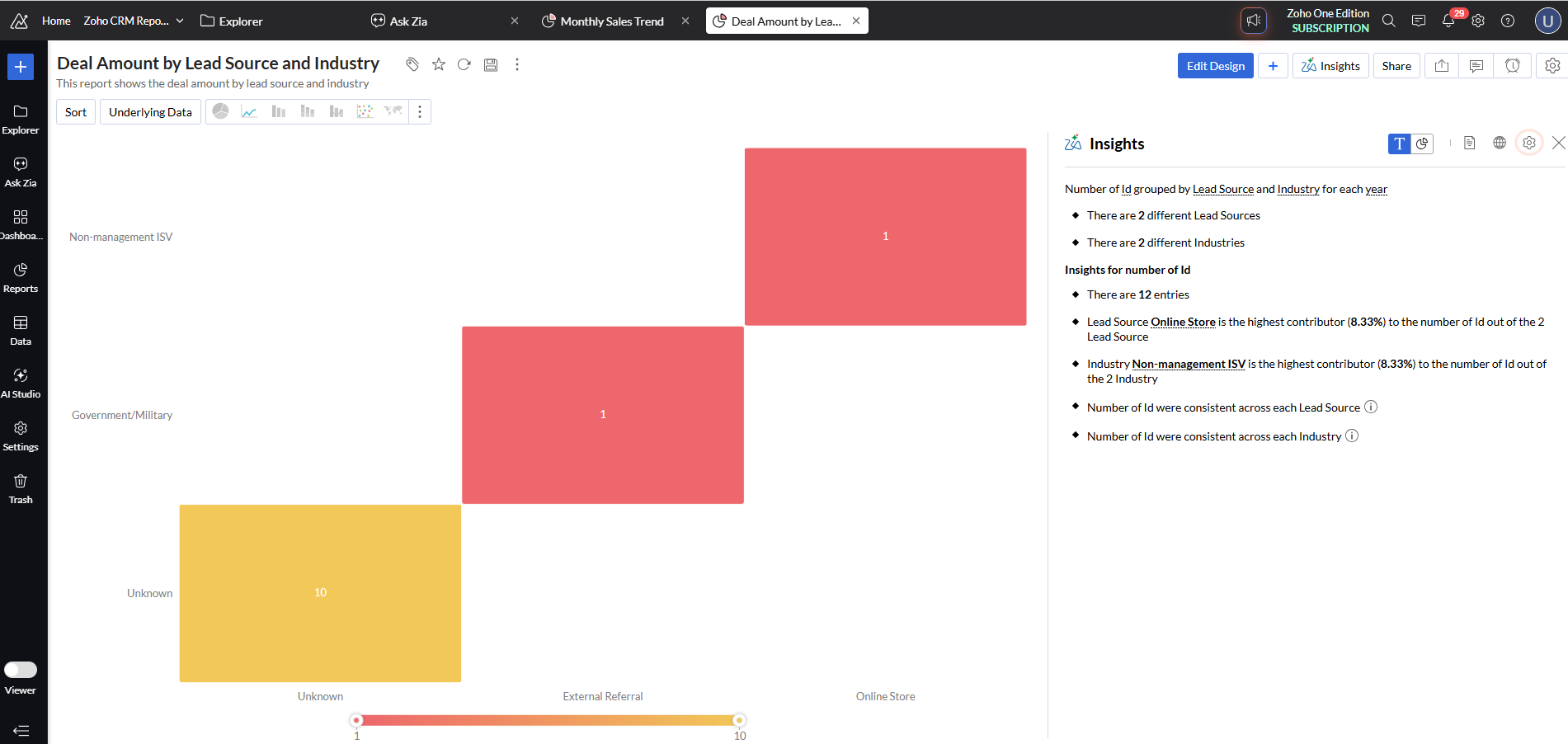
Using the Analytics 7.0 to get insights on your reports you have within Zoho Analytics
How we start
An adoption review. We go through your account, show you what you pay for but don’t use, and turn on what you need for Zoho and AI.

Conversational AI
Ask your business a question
Instead of building a report, you ask. “Which deals over £10k have gone quiet this month?” “Who owes us money from last quarter?”
What’s possible
You can ask Zia inside Zoho, or connect Claude or ChatGPT to your Zoho data using Zoho MCP. The AI can only see and do what that user is allowed to do in Zoho, and each request counts towards your Zoho API limits. Zoho’s own Zia Chat is available for Zoho Analytics 7.0.
Example
A managing director wants a Monday morning view of stalled deals, overdue invoices and open complaints. Today that means three reports and a call to the office. With Claude connected to Zoho CRM, Books and Desk, they ask once and get a single summary.
How we start
A half-day workshop. We work out what to connect, what the AI should and shouldn’t touch, and set up the first connection with you.
Autonomous AI
Let an agent own a job
An agent gets one job, the tools it’s allowed to use and a set of rules. Then it gets on with it, and hands back to a person when it needs a decision. Building agents in Zoho allows you to achieve this.
What’s possible
Qualifying new enquiries, drafting a quote from a deal, chasing a stalled opportunity, triaging a support ticket and sending it to the right person.
Example
A new enquiry arrives through your website at 9pm. An agent reads it, checks it against your criteria, adds the details to Zoho CRM, assigns it to the right salesperson and drafts a first reply for them to approve. Nobody has to sort the inbox in the morning..
How we start
An architecture session and a fixed-price scope. We agree what the agent or agents do, what it can touch and what a good result looks like.


Bespoke AI
Built around your business
Sometimes off-the-shelf doesn’t fit. You might have years of documents, an unusual process, or a system Zoho doesn’t connect to. This is the stage for those cases, and you may never need it.
What’s possible
Custom agents built to your rules, Claude or OpenAI models plugged in with your own key, and connections between Zoho and the other tools you rely on. You usually don’t need to train a model. You need clean data, clear rules and the right connections.
Example
A business has ten years of signed contracts in a shared drive. Staff waste time hunting for renewal dates and terms. We build a tool that reads the contracts, pulls out the key dates and terms, and writes them into Zoho CRM, so renewals get flagged on time.
How we start
A scoping call. Tell us the problem and we’ll tell you honestly whether AI is the right fix.
Who we work with
Frequently Asked Questions about Zoho AI
Have questions about Zoho and AI? We’ve got you covered!
Your data, process and people are in good enough shape for AI to help. If they aren’t, AI just makes mistakes faster.
MCP stands for Model Context Protocol. It’s a standard way for AI assistants like Claude and ChatGPT to connect to your business apps. Zoho MCP lets you do that with Zoho. You choose which Zoho apps and actions to allow, connect your AI tool, and then ask it to do things in plain English, like “create a lead” or “show me overdue invoices.” The AI can only do what that user is allowed to do in Zoho, so it can’t see more than they can.
Yes, the connection itself is free. There is no separate pricing for MCP, and usage follows the API limits of the Zoho. This is within the limits of your API limits as it doesn’t add extra API allowance. therefore every action counts towards your existing daily or monthly quota. If you connect Claude or ChatGPT, you’ll still need a paid plan on their side. We can help you work out whether your Zoho API limits will cover what you want to do. Here the official Zoho MCP pricing page
No. If you’re not, we plan the setup with AI in mind from the start. If you are, we begin with what you already pay for.
No. Most businesses get the biggest win from the first three. Bespoke is only for things that don’t fit anything off the shelf, and we’ll tell you if you don’t need it.
It depends on the area. Reviewing what you already have costs far less than building an agent. Building agents in Zoho is free, and you pay for AI usage above a monthly allowance. You get a fixed price before we start anything.
Some AI features only come with higher editions or Zoho One. We check your plan before recommending anything, so you don’t upgrade for a feature you don’t need.
Yes, With Zoho MCP as it has an official connector to Claude. The AI can only see and do what that user is allowed to do. We work with you to make sure it connects and does only what we want it too.
It can be, with the right setup. Zoho’s own models keep data inside Zoho. If you connect an outside model like Claude or ChatGPT, data goes to that provider, so we help you decide what’s appropriate.
Not everything yet. Some ready-made agents and Zia Chat are limited to Zoho’s US and India servers for now. We check your account before we promise anything.
Switching on features you already pay for can show results within days. A single agent usually takes a few weeks to build and test. We start with one job so you see a real result before doing more.
We’ll say so. Sometimes cleaner data or a better workflow fixes the problem
Yes, For Zoho Analytics this is possible and for many other products. Test how they work and if needed integrate within Claude, ChatGPT or another AI model.